The one rule
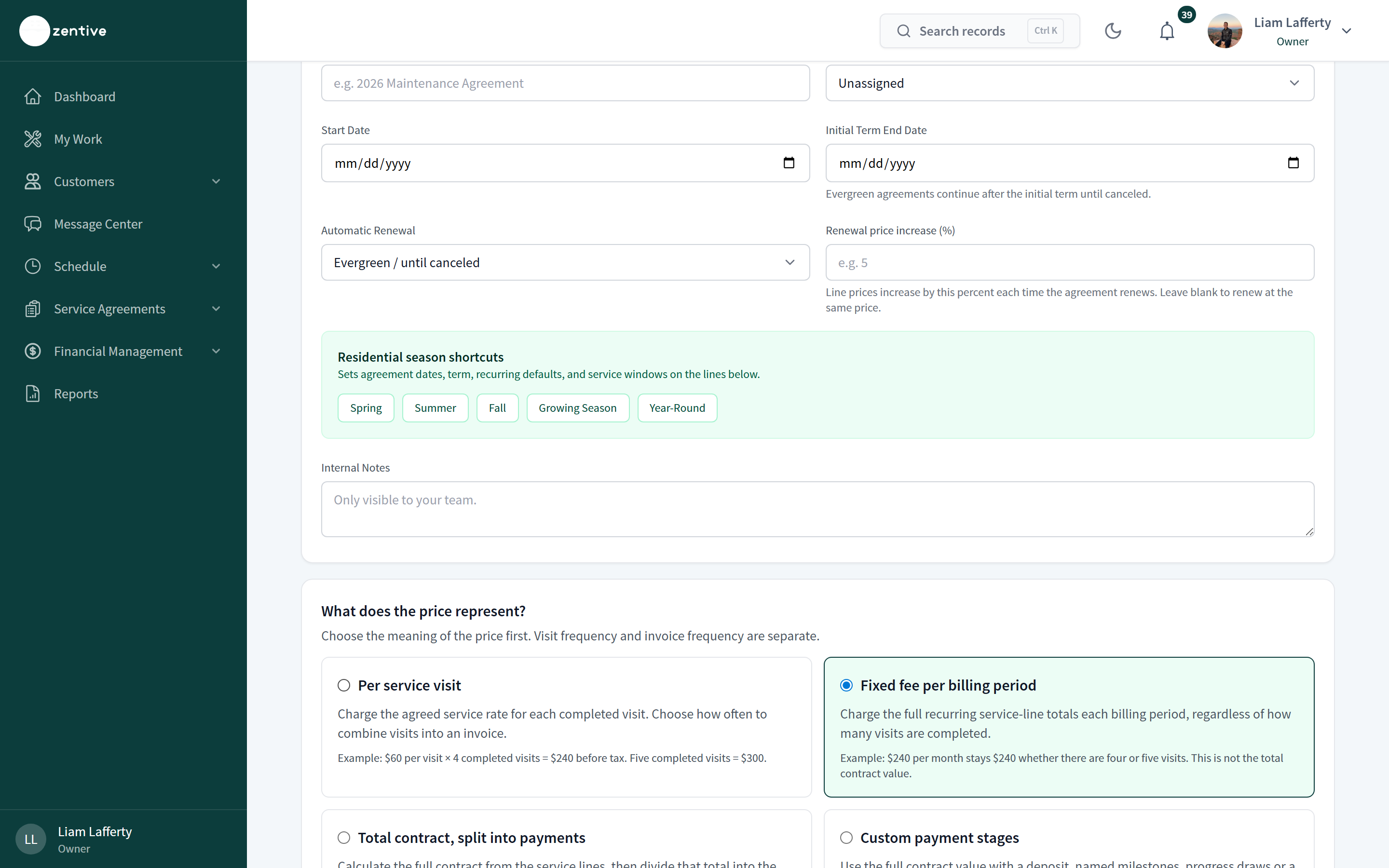
Decide what the price means before you decide how often to invoice. Visit frequency and invoice frequency are separate settings, and the price meaning tells Zentive how to turn completed work into an invoice amount.
The four price meanings
- Per service visit — the service rate is charged for each completed visit and combined into an invoice on the billing cadence. $60 per visit × 4 completed visits = $240 before tax; five visits = $300. Use for weekly mowing, cleaning, pool service.
- Fixed fee per billing period — the full recurring line total is charged every period regardless of visit count. $240 per month stays $240 with four or five visits. Use for maintenance plans and memberships.
- Total contract, split into payments — the contract value is calculated from the lines, then divided evenly into the number of payments you choose. $2,400 ÷ 12 = $200 per payment. Use for seasonal contracts paid in installments.
- Custom payment stages — the contract value is billed by deposit, named milestones, progress draws, or a final balance you define after saving. $2,400: $600 deposit, $600 progress, $1,200 final. Use for projects and installs.
How invoices are produced
- 1
Billing period closes
On the cadence (for example monthly, on the bill day), Zentive computes the amount from completed eligible visits (per visit) or the fixed line totals (fixed fee) or the next installment or stage.
- 2
Draft or automatic
With Auto-create draft invoices, a draft appears under the agreement's Invoices tab and on the Invoices page for review. With Fully automatic billing, the invoice is approved and sent without review.
- 3
Autopay
Saved-card customers who enabled autopay in their portal are charged on the due date; outcomes (paid, failed, retry timing) show on the agreement's Invoices tab. Others get the normal email or text with a pay link.
- 4
Extras
Separately approved extras (a change order on a visit, a one-off job) are billed on their own and do not change the agreement price.
Reading the totals on an agreement
Contract total is the agreed value for the term (for evergreen agreements, one period's value). Invoiced to date and Paid to date accumulate; Remaining value shows what is still unbilled on fixed-value agreements. Previously completed visits keep the terms that were in force when they happened; changing the price meaning later does not reprice past work.
Was this helpful?
Contact Zentive support
Include your business name, account email, what you were trying to do, what happened instead, and a screenshot if possible. For billing, sync, or login issues, include the exact error message if shown.