The definition
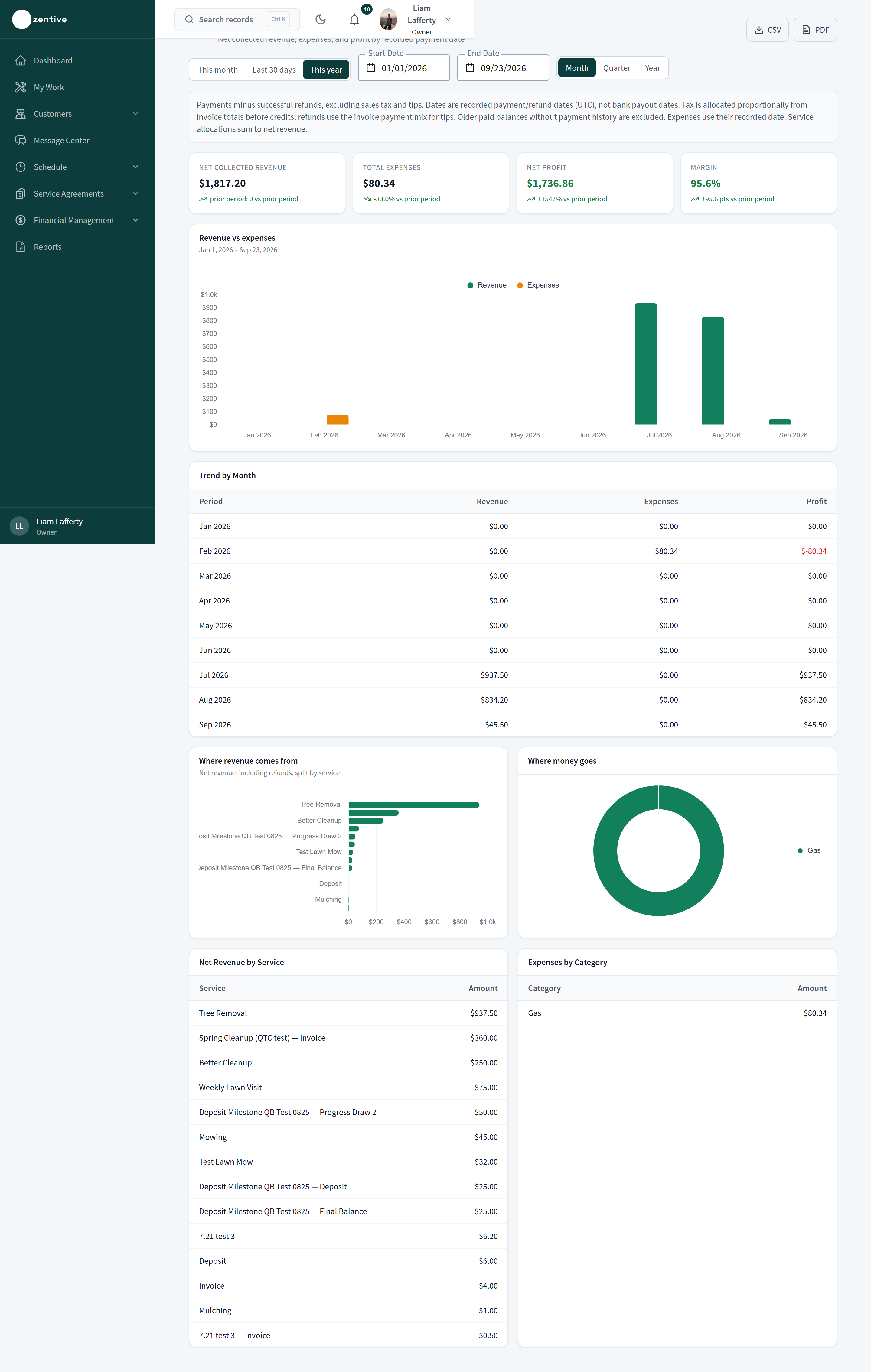
Net collected revenue = successful payments minus successful refunds, excluding sales tax and tips, dated by the recorded payment or refund date (UTC), not the bank payout date. The same number feeds Profit & Loss, Sales Tax, Customer Lifetime Value, Lead Source ROI, At-Risk Customers, and the Monthly Business Review email.
Included
- Card, ACH, wallet, autopay, cash, check, and terminal payments recorded in Zentive.
- Partial payments, on the date each was recorded.
- Deposits and milestone payments.
Excluded
- Sales tax (allocated proportionally from invoice totals) and tips (reported separately).
- Write-offs and customer credits: they reduce a balance but are not money in.
- Cash discounts: the discounted amount actually paid is revenue; the discount is not.
- Older paid balances with no payment history (legacy records), which are flagged rather than guessed.
- Pending quotes and scheduled jobs: the dashboard shows these separately as pipeline and scheduled revenue, never as revenue.
Reports that count something else
Jobs Completed, Job Profitability, Crew Scorecards, and Quote Conversion report invoiced or quoted work, and say so in their header. Aging Receivables reports open balances. Expenses use the expense's recorded date.
Was this helpful?
Still need help?
Contact Zentive support
Include your business name, account email, what you were trying to do, what happened instead, and a screenshot if possible. For billing, sync, or login issues, include the exact error message if shown.
Replies by emailLogin, billing, sync, and setup help
Email support