What you'll learn
The dashboard is built to answer three questions in the first five seconds: what is happening today, how the week is going, and what needs you. Everything on it is a live count from your real jobs, quotes, and invoices; nothing is sample data.
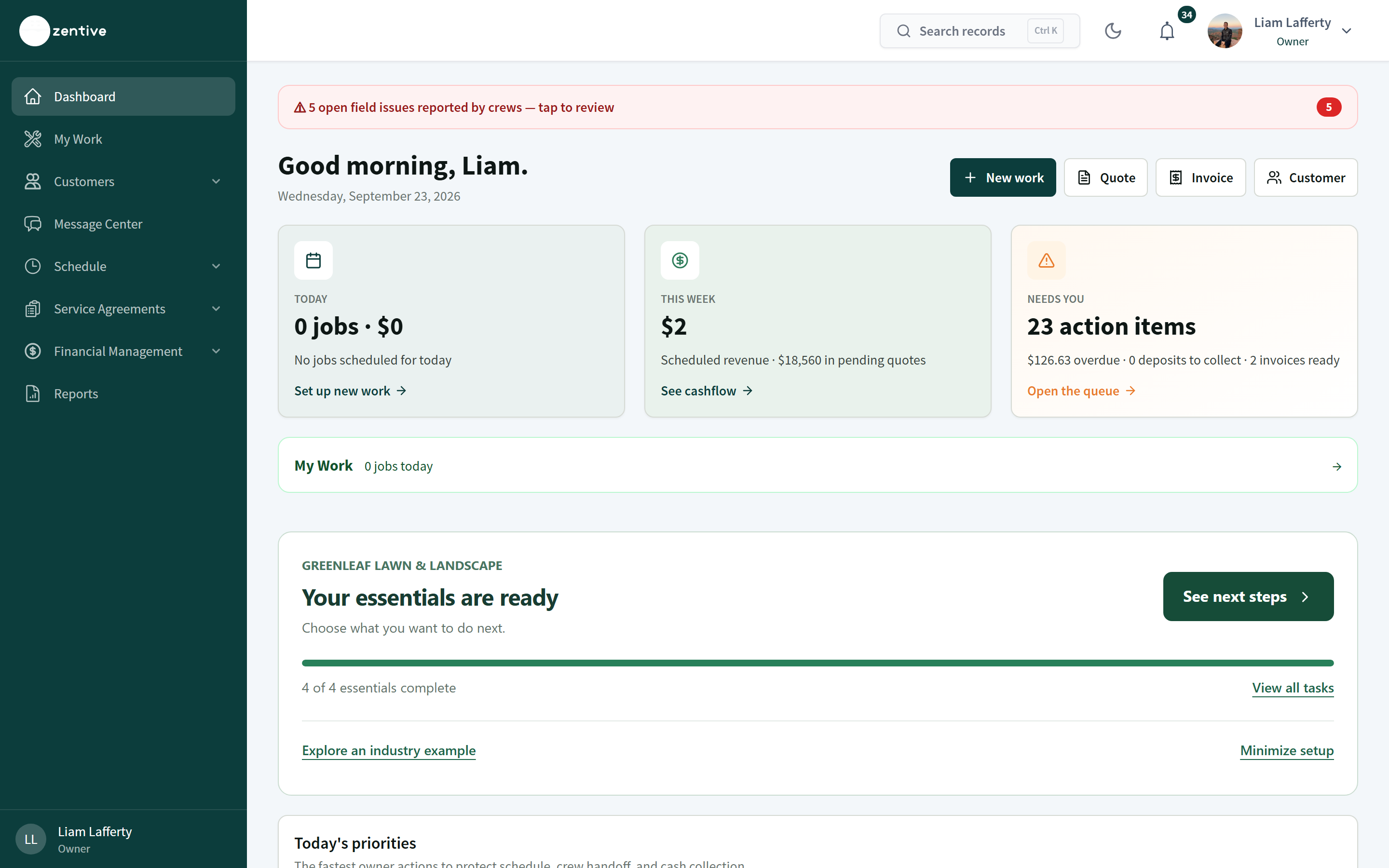
Top of the page
- 1
New work, Quote, Invoice, Customer
Shortcuts to start the four most common records. New work asks whether this is a one-off job or recurring service.
- 2
Today
Jobs scheduled today and their value. Set up new work opens the new-work chooser.
- 3
This week
Scheduled revenue for the week, with pending quote value shown separately (pending quotes are not revenue). See cashflow jumps to the cash-flow section.
- 4
Needs you
Action items: overdue money, deposits to collect, invoices ready to send. Open the queue scrolls to Needs your attention.
- 5
My Work
Jobs assigned to you personally. Opens your field view, the same screen your crews use.
- 6
Setup card
Shows essentials progress until you press Minimize setup. See next steps reopens the setup guide; Explore an industry example shows sample records without adding anything.
Middle of the page
- 1
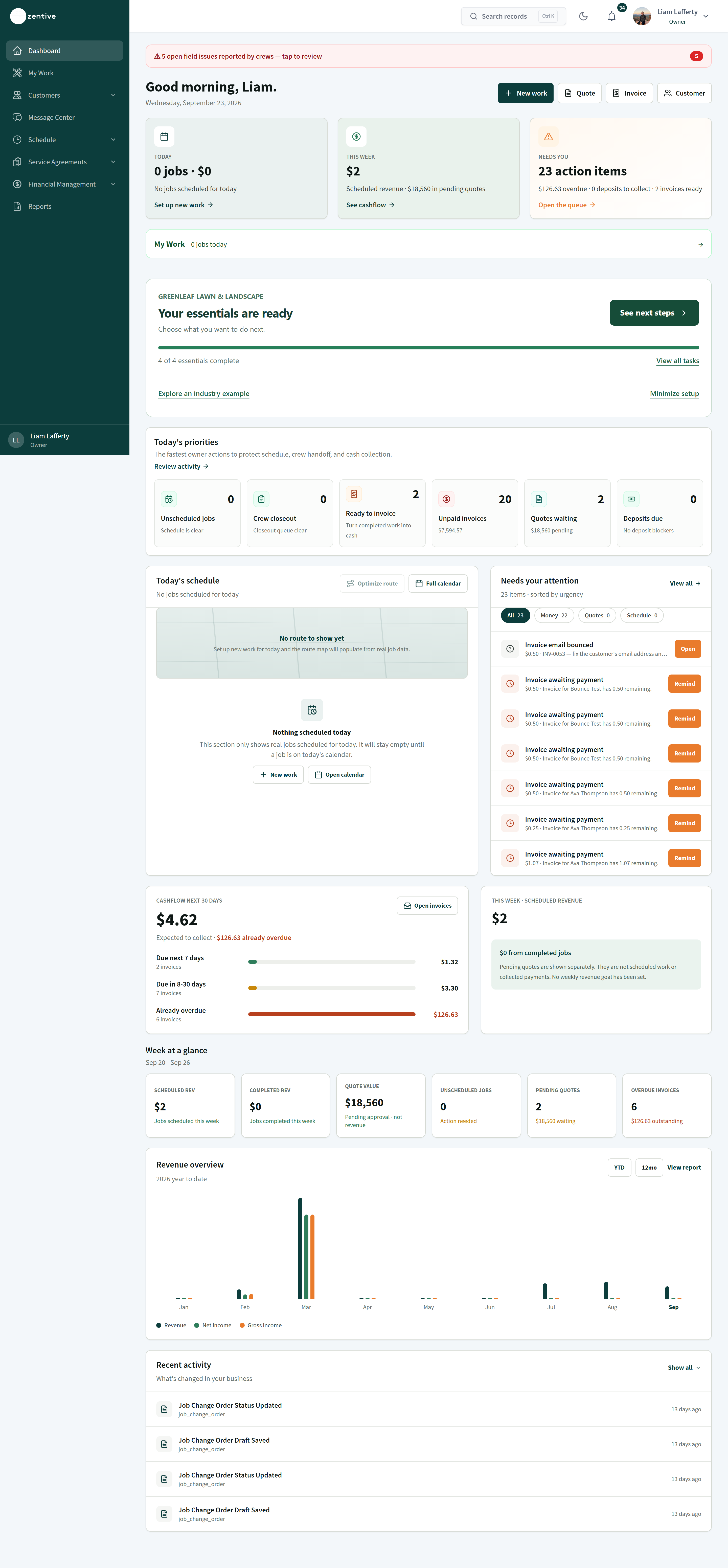
Today's priorities
Six counters with the fastest owner actions: Unscheduled jobs, Crew closeout (jobs waiting for closeout approval), Ready to invoice (completed jobs with no invoice), Unpaid invoices (with the amount), Quotes waiting (pending approval), Deposits due. Click any counter to open the filtered list.
- 2
Today's schedule and route map
Only real jobs scheduled today. Optimize route and Full calendar open Routing and the Calendar.
- 3
Needs your attention
Every open item sorted by urgency, filterable by Money, Quotes, Schedule. Typical items: an invoice email bounced (fix the address and resend), an invoice awaiting approval, a quote that expired.
- 4
Cashflow next 30 days
Expected collections split into Due next 7 days, Due in 8–30 days, and Already overdue, each with invoice counts.
Bottom of the page
- 1
Week at a glance
Scheduled revenue, completed revenue, quote value pending, unscheduled jobs, pending quotes, overdue invoices for the current week.
- 2
Revenue overview
Year-to-date or trailing 12 months, with Revenue, Net income, and Gross income lines. View report opens Profit & Loss.
- 3
Recent activity
A feed of what changed: quotes created or resent, payments, jobs completed, with who and when.
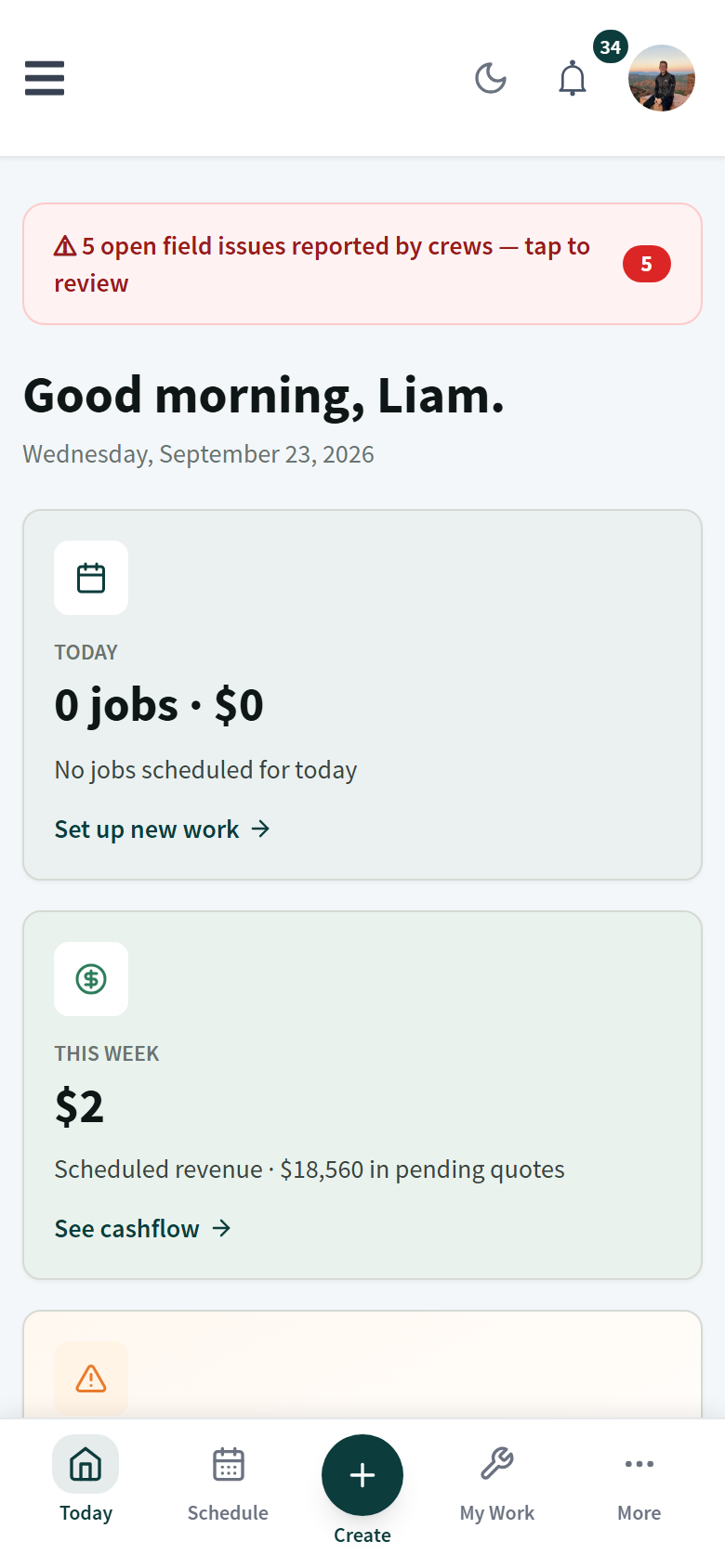
On a phone
The same tiles stack vertically. The bottom bar gives you Today, Schedule, Create (+), My Work, and More. More holds Customers, Money, Messages, Reports, Employees, Agreements, Automations, Integrations, Subscription, and Settings.
Was this helpful?
Contact Zentive support
Include your business name, account email, what you were trying to do, what happened instead, and a screenshot if possible. For billing, sync, or login issues, include the exact error message if shown.