How to read this page
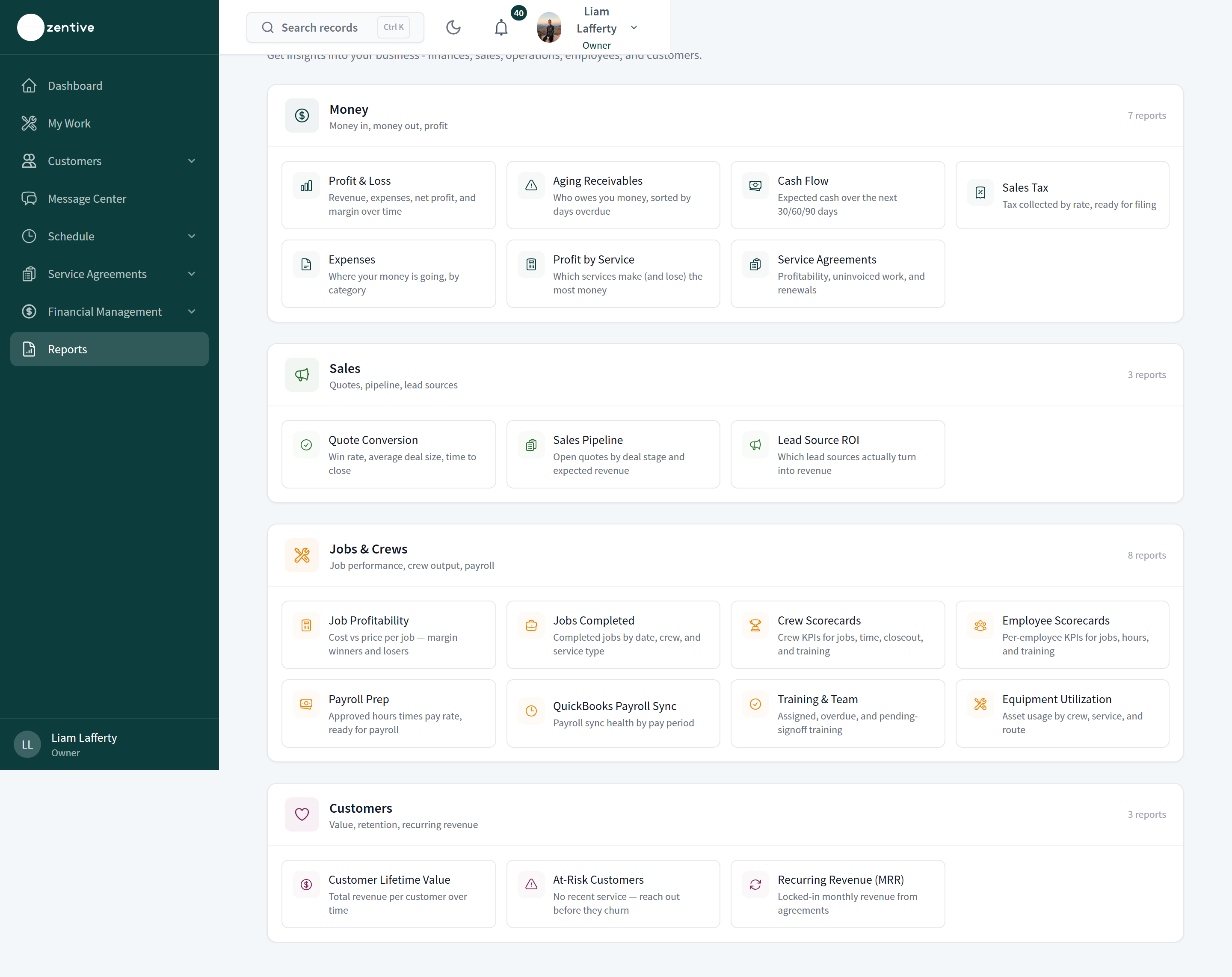
Open Reports in the sidebar. Each card below names the report, the question it answers, and the article that explains it.
Money
- Profit & Loss — revenue, expenses, net profit, margin over time, revenue by service, expenses by category.
- Aging Receivables — who owes you money, bucketed Current, 1–30, 31–60, 61–90, 90+ days.
- Cash Flow — expected cash over the next 30/60/90 days from open invoices and scheduled work.
- Sales Tax — tax collected by rate, ready for filing.
- Expenses — where money is going, by category and account.
- Profit by Service — which services make and lose the most money.
- Service Agreements — agreement profitability, uninvoiced work, and renewals.
Sales
- Quote Conversion — win rate, average deal size, time to close.
- Sales Pipeline — open quotes by stage and expected revenue.
- Lead Source ROI — which lead sources turn into revenue.
Jobs & Crews
- Job Profitability — cost versus price per job; margin winners and losers.
- Jobs Completed — completed jobs by date, crew, and service type.
- Crew Scorecards — crew KPIs: completed jobs, revenue, hour variance, on-time arrival, closeout completion, equipment and training readiness.
- Employee Scorecards — the same per employee, with links into Timesheets and Training.
- Payroll Prep — approved hours × pay rate per employee.
- QuickBooks Payroll Sync — sync health by pay period.
- Training & Team — assigned, overdue, and pending-signoff training.
- Equipment Utilization — asset usage by crew, service, and route.
Customers
- Customer Lifetime Value — net collected revenue per customer.
- At-Risk Customers — no recent service; reach out before they churn.
- Recurring Revenue (MRR) — locked-in monthly revenue from agreements.
Every report works the same way
Date presets (This month, Last 30 days, This year) or a custom Start and End date; Month / Quarter / Year grouping where it applies; stat tiles with a comparison to the prior period; charts; a table; and CSV and PDF buttons at the top right (the PDF includes the charts).
Was this helpful?
Still need help?
Contact Zentive support
Include your business name, account email, what you were trying to do, what happened instead, and a screenshot if possible. For billing, sync, or login issues, include the exact error message if shown.
Replies by emailLogin, billing, sync, and setup help
Email support